Looma
Theory-Aware MIDI Generator
Random, yet musical.
Free 20-minute trial, full functionality (v1.0.0)
PurchaseOverview
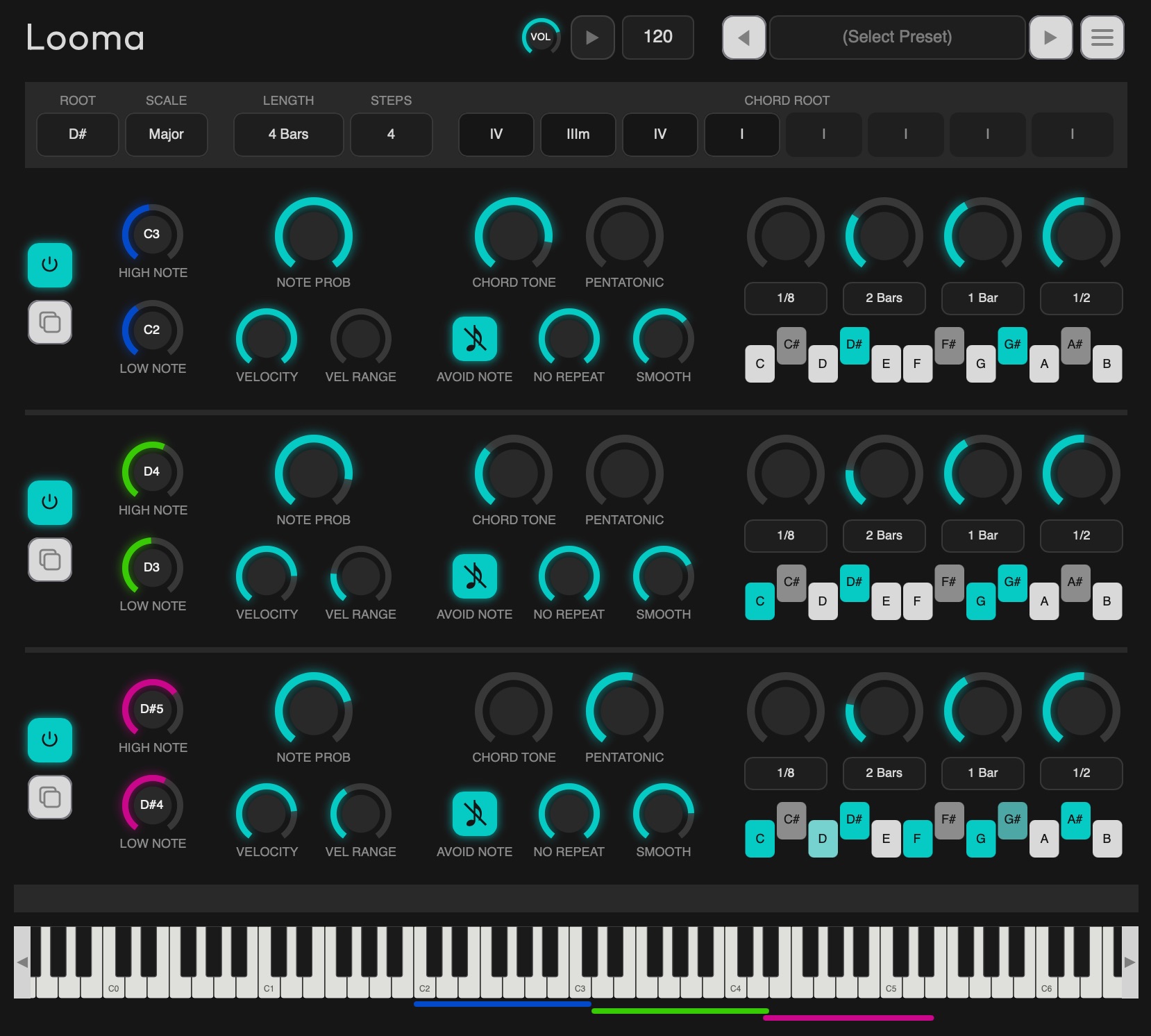
Looma is a generative MIDI plugin that performs "musically" despite being driven by randomness.
It runs on its own, continuously generating melodies and harmonies that are different every time — yet never sound wrong.
Demo Videos
Preset Showcase
Quick Tutorial
Music Theory Engine
What makes Looma "random, yet musical" is its own Music Theory Engine — a chain of filters built on music theory.
Each note is chosen by layering these five checks in sequence.
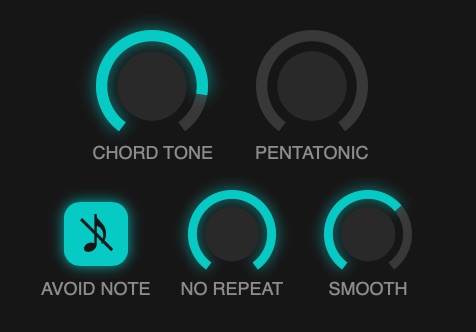
Chord Tone — Following the chord
Turn it up, and the notes it can play narrow toward the chord root (at maximum, only the root plays). Turn it down, and the range widens to include the 5th, 3rd, 7th, 9th, 11th, and 13th, until at minimum it can freely draw from all 7 notes of the scale. Higher settings sound stable and settled; lower settings let more unexpected notes slip in.
Pentatonic — Following the pentatonic scale
Turn it up, and the chance of playing the pentatonic core notes (in the key of C major, that's "do-re-mi-sol-la") increases. With no adjacent half-steps, this 5-note set sounds familiar to the ear and is used across genres — notes that are hard to get wrong.
Avoid Note Filter — Whether to skip half-step clashes
A simple on/off switch. When on, it excludes notes that sit a half-step above the current chord's tones — what jazz theory calls "avoid notes." When off, that restriction is lifted, allowing for more edge and tension.
No Repeat — Whether to allow repeated notes
Turn it up, and a note repeating the previous one is more likely to be excluded; at 100%, repeats never happen. At 0%, repeats aren't actively avoided.
Smooth — How smoothly notes move
Turn it up, and notes close in pitch to the previous one become more likely, producing smooth, stepwise melodic motion. Turn it down, and selection becomes more even, leading to bigger leaps and a more jagged, zigzagging contour. At 0%, distance is ignored entirely — an evenly random pick among the remaining candidates.
Other Features
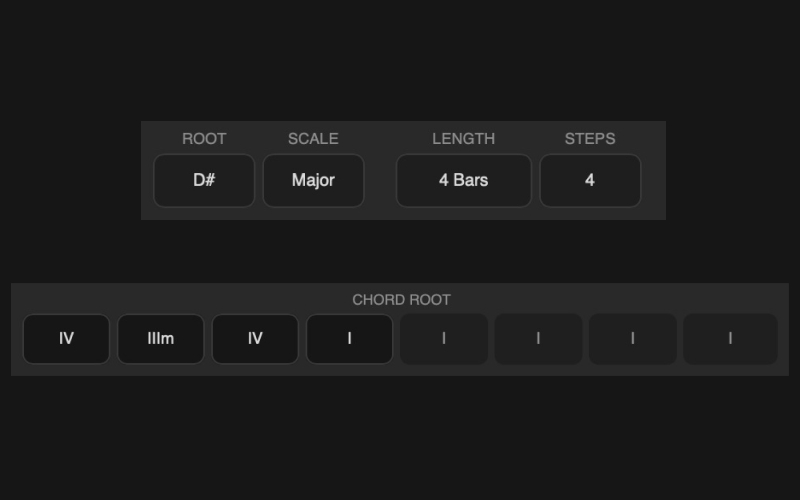
An 8-step chord progression, shared across all three voices
Set the song's key and progression length with Root/Scale, Chord Length, and Progression Steps, and build a chord progression of up to 8 steps. All three voices always generate together over this shared progression.
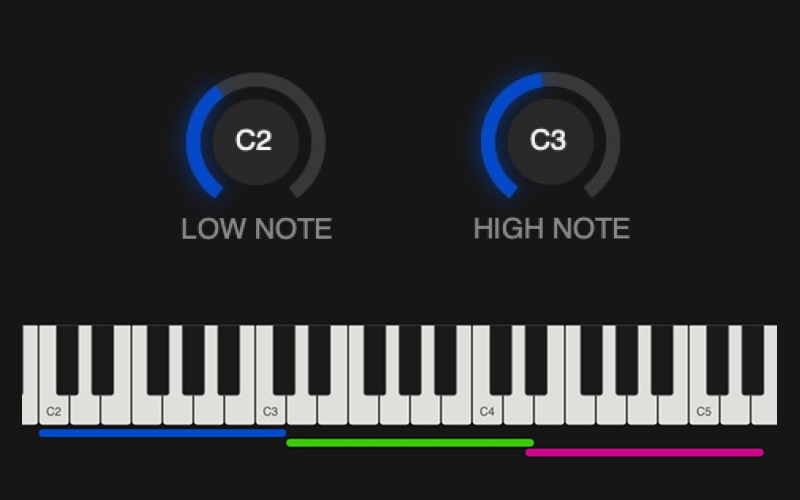
Give each voice its own note range
Each of the three voices has its own independent Low Note/High Note, so you can define roles at the register level — a bass down low, a melody up high, and so on.
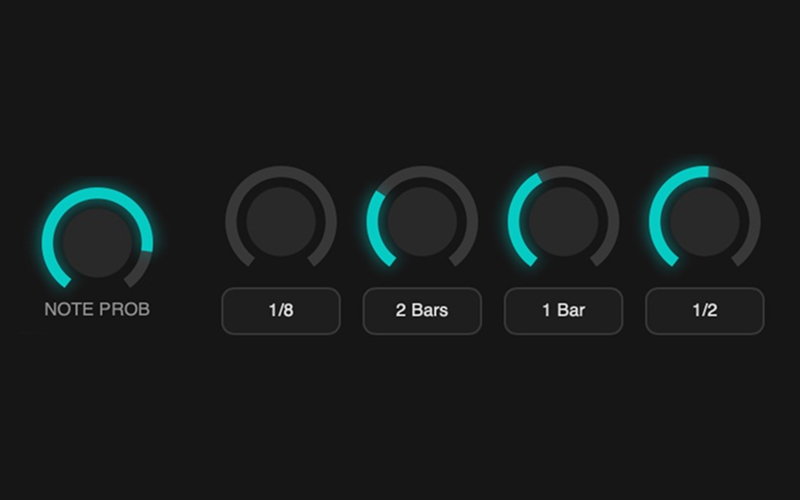
Shape density and rhythm, voice by voice
Note Probability controls note density, while a 4-slot weighted Note Length table controls the mix of note values used — both set independently per voice.
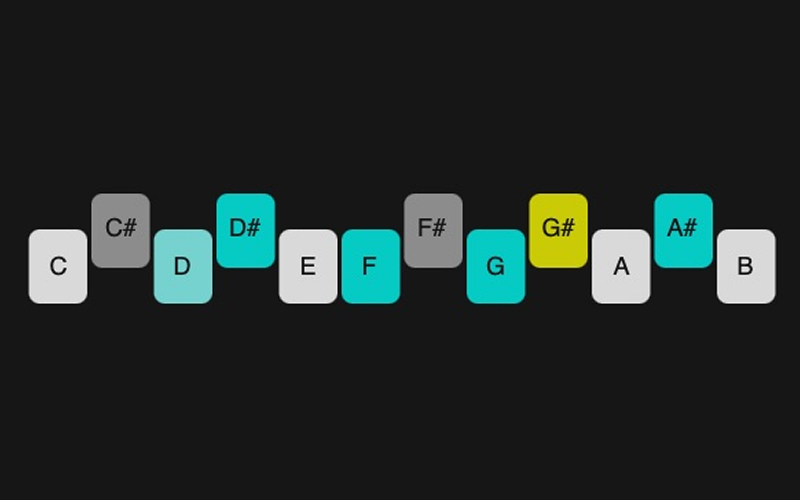
See what's playable, in real time
A constantly visible strip shows exactly which notes are eligible to play under the current settings. Every knob move updates it instantly, so the generation never feels like a black box.
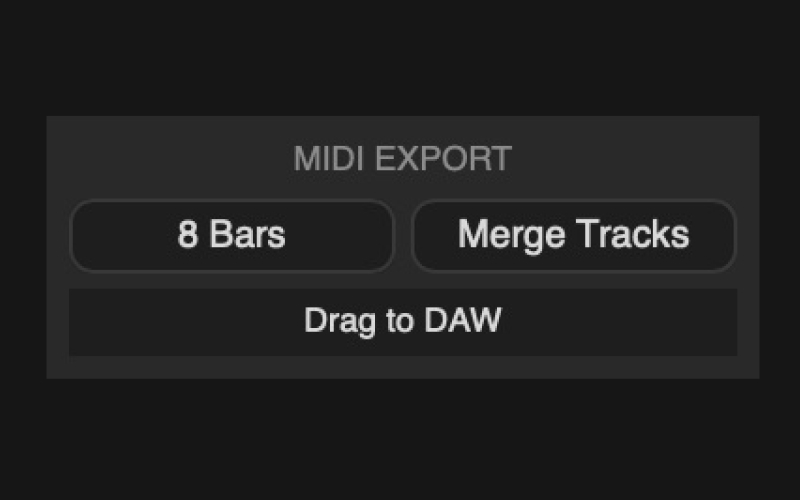
Drag straight into your DAW timeline
Set a bar length, choose whether each voice exports as its own track or merged into one, and drag the MIDI clip directly onto your DAW's timeline — no manual recording or bouncing needed.
Requirements
Format: VST3 / Audio Unit
OS: Windows / Mac
Notes
- Sound: The built-in synth is for quick preview only — for actual production, route Looma's MIDI output into an external instrument/sound source in your DAW.
- Trial: Built into the app — try it free for 20 minutes, no purchase required (all core features except preset save/load)
- Standard license: up to 3 activations per license key